LaunchMyCannabiz

A gritty, optimistic brand system for cannabis entrepreneurs navigating permitting, storefronts, funding, compliance, and their first real launch.

View components Brand rules
15Canonical sample compositions
2Core type voices
6Primary brand colors
4ptBase spacing rhythm
LaunchMyCannabiz sign up now brand sample Brand kit · May 2026
01 · Story
01 · The brand 01

Built for operators with real counters, real paperwork, and real stakes

LaunchMyCannabiz helps entrepreneurs launch their cannabiz with a toolkit that feels street-level, businesslike, and plant-forward. The brand should feel printed, annotated, urgent, and useful.

Voice

Plain-spoken and action-oriented

Use direct language, short imperatives, and practical copy. Speak to the entrepreneur with "you" and "your."

Surface

Gradient plus paper texture

The yellow-to-green gradient is the signature surface. Add paper texture so it reads printed, not synthetic.

Energy

Gritty, optimistic, slightly punk-zine

Heavy black strokes, caution stripes, halftone imagery, and handwritten annotations keep the system grounded.

Brand spine
LaunchMyCannabiz

The system works best when every screen feels like a useful field packet: poster-bright, black-ink legible, and obviously built for people doing real launch work.

02 · Brand
02 · Brand marks 02

Leaf glyph, marker word, heavy ink

The system revolves around the LaunchMyCannabiz wordmark, the cannabis leaf glyph, and the contrast between Poppins precision and Permanent Marker attitude.

LaunchMyCannabiz color logo
Core rules

Default to the provided lockups

  • Use the color logo on white, paper, yellow, and light gradient fields.
  • Use the light logo on black and high-contrast dark surfaces.
  • Keep black as the primary ink color for type, outlines, and UI chrome.
  • Never replace the marker-style "My" with a generic script or handwriting font.
Brand framing

Hazard tape is structural, not decorative

Use caution stripes to cap hero frames, separate printed surfaces, and signal action-oriented brand moments. They should feel like part of the buildout language, not novelty trim.

LaunchMyCannabiz logo on textured gradient
Default field

Logo plus texture plus ink

The most recognizable LMC surface pairs the provided logo with wrinkled paper stock, black rules, and a loud gradient wash. This combination should read immediately as the core kit.

03 · Color
03 · Color 03

Yellow up top, green at the root

The primary palette is small and loud: yellow, green, black, white, plus teal and red as secondary colors. Black text stays mandatory on yellow and gradient surfaces. Yellow text is not used on white, paper, or other light surfaces; use black text on yellow chips instead.

LMC Yellow#FFD10D

Signature field, urgency, highlight.

LMC Green#4FBB89

Primary accent, growth, plant-forward signal.

LMC Black#231F20

Ink, outlines, text, dark UI surfaces.

LMC Teal#67C9D0

Cool secondary cards and supporting moments.

LMC Red#EE495D

Alerts, emphasis, occasional heat.

Signature gradient

Paper texture with multiply transparency

Paper texture

The raw stock

Show the wrinkles and grain directly when documenting the system so the material feel is explicit, not implied.

Gradient over paper

The actual brand surface

This is the preferred treatment for hero fields and branded panels: the yellow-to-green wash lives on top of the paper texture instead of replacing it.

04 · Type
04 · Typography 04

Poppins does the work. Permanent Marker makes the mark.

Poppins is the functional system face. Permanent Marker is a personality accent for one to three words, handwritten callouts, and annotated diagram moments.

Display · 64px

LaunchMyCannabiz

Heading · 48px

Permits, funding, buildout, launch

Marker accent

Sign goes here

05 · Components
05 · Components 05

Buttons, badges, cards, inputs

Components use strong black borders, small radii, hard offset shadows, uppercase labels, and icon support where the interface needs familiar actions.

05.1 · Buttons

Primary and secondary actions

05.2 · Badges

Status chips and labels

Permitting Funding Ready Storefront LMC Approved
05.3 · Cards

Use imagery like a printed artifact

Storefront sample card
Storefront launch

Use thick black framing, dense labels, and a single strong image rather than soft UI cards.

05.4 · Inputs

Forms should feel stamped, not soft

IdeaPermittingOpen
Subscribe to the launch checklist
06 · Dark Mode
06 · Dark mode 06

When the room goes dark

Use black as a deliberate full-bleed brand moment, not as the default for every surface. Yellow text is the preferred hover color on black buttons.

LaunchMyCannabiz light logo
Dark rules

High contrast, no subtle gray guessing

  • Use the light logo on black surfaces.
  • Pair black buttons with yellow text on hover.
  • Keep body copy white or high-opacity white.
  • Avoid low-contrast green or teal text on black.
Dark treatment
Black can hold the room.Barely.

Use dark sections as punctuation. On black, the brand works by getting louder with logo contrast and simpler with copy density.

07 · Motion
07 · Motion 07

Fades, slides, and a stamp press

Motion should feel confident and printed: no springs, no confetti, no glossy parallax. Hover can lift; press can flatten the hard shadow.

Entrance

Use fade-and-slide reveals

  • Lead with opacity and vertical translation.
  • Use the same `cubic-bezier(0.16, 1, 0.3, 1)` curve across the page.
  • Stagger content in 80–140ms steps, not theatrical waterfalls.
Interaction

Buttons should press like a stamp

  • Hover can slightly darken or shift the hard offset shadow.
  • Press states should move down and flatten the pop shadow.
  • Cards can lift a little; they should never float like glass tiles.
08 · System
08 · Grid and icons 08

A 4-pt grid and heavy black lines

Spacing follows the 4px token scale. Lucide can stand in for product UI icons until a dedicated LMC icon set exists.

08.1 · Spacing

4-pt rhythm

space-28pxTight control spacing, chip padding
space-416pxForm padding, card insets, rule offsets
space-632pxPanel gutters and section sub-blocks
space-864pxBig vertical breaks and hero spacing
08.2 · Radii

Keep corners tight

4px
8px
12px
pill only

LMC defaults to squared or lightly rounded shapes. Pills are reserved for badges, filters, and compact UI labels.

08.3 · Shadows

Hard offset beats blur

soft
medium
pop

The brand-aligned move is the hard black offset. Use blur sparingly and only where a product surface needs calmer depth.

08.4 · Icons

Lucide is the substitute set

Use Lucide at `2px` stroke weight for standard UI actions until LMC ships its own functional icon set.
☺ ? → ✱
Marker glyphs stay hand-drawn and expressive. Use them for personality callouts, not for ordinary navigation controls.
09 · Voice
09 · Voice 09

Plain-spoken, useful, lightly rebellious

Write like the brand is on the entrepreneur's side. Be direct, practical, and specific. Always use "cannabiz" for the product noun.

Do
  • Use "you" and "your" for direct address.
  • Use all caps for short imperatives and section labels.
  • Use exclamation points when urgency is useful.
  • Keep black type on yellow and gradient surfaces.
Don't
  • Use "cannabusiness" when "cannabiz" fits.
  • Use emoji as brand iconography.
  • Use Permanent Marker for body copy.
  • Write generic startup promises or glossy consultancy copy.
Sample tone
Sign up now. Open soon.

That cadence is the target: practical, urgent, and a little hand-marked. It should feel like something you would actually see on a wrapped storefront or a launch packet.

11 · Photography
11 · Photography 11

Halftone hands, storefronts, plants, and working notes

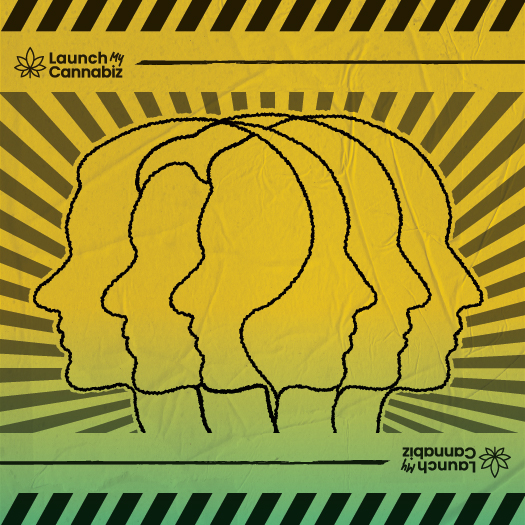
Most imagery is high-contrast halftone or heavy ink illustration. Naturalistic cannabis macro photography is rare and should anchor real-product moments.
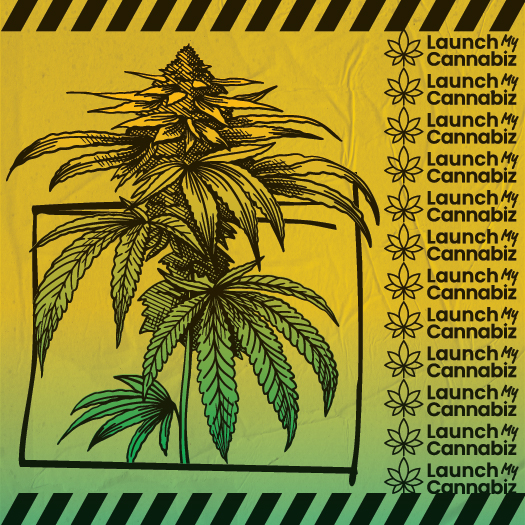

LMC faces sample LMC hands and questions sample LMC city hall sample LMC money halftone sample LMC cannabis bud sample
12 · Companions
12 · Companion brands 12

Built under one roof, one name

LMC already behaves like a sister system inside the Launch family. It shares the operator-first posture and useful-document mindset, but swaps the Launch geometric polish for a louder poster-build cannabis voice.


LaunchMyCannabiz logo
This system

LaunchMyCannabiz

The cannabis-operator arm: permitting, storefronts, funding, signage, launch logistics, and business artwork. The most texture-forward system in the family.

View brand rules
Launch Industries parent logo
Parent system

Launch Industries

The parent brand is cleaner and more restrained. LMC inherits the operational clarity, but pushes much harder into annotations, hazard tape, and halftone imagery.

View LIDS
LMC blueprint sample
Shared rule

One system, many field artifacts

The real value is portability: decks, flyers, client proposals, signup pages, storefront mockups, and internal docs should all feel like one coherent operator toolkit.

See applications
11.5 · Swag
11.5 · Swag examples 11.5

Notebook and lanyard applications

The system should hold up on practical field objects too. Swag works best when it keeps the same black-ink framing, loud yellow surfaces, and operator-first clarity as the rest of the brand.

Launch kit notes

LaunchMy
Cannabiz

LaunchMyCannabiz notebook cover mockup
Notebook

Field notes, not premium minimalism

A notebook should feel like part of the working packet: paper stock, bold ink, a stamped title, and enough personality that it looks like a tool for launch work rather than generic conference merch.

Lanyard size: 20mm (3/4")

This part will be covered by collar or hair when it is worn.
LaunchMyCannabiz lanyard logo repeat
Sacramento
Core
LaunchMyCannabiz lanyard logo repeat
Sacramento
Core
LaunchMyCannabiz lanyard logo repeat
40 mm end repeat 320 mm covered center 920 mm total length
Lanyard

Readable even when it’s moving

The lanyard application works because the identity repeats cleanly across a narrow strip, using the yellow-to-green transition and black logos without relying on tiny decorative detail.

13 · CTA
13 · Documentation status

A working system, not just a moodboard

This page should route directly into usable assets: preview cards, a marketing UI kit, a capabilities statement, and reusable HTML artifacts that can be lifted into production or adapted for campaigns.

Open marketing UI kit Read full README
14 · Samples
14 · Sample projects 14

Sample Projects

A usable shelf of LMC applications already lives in this folder. The homepage should make those artifacts discoverable, not hide them behind placeholders.

LMC storefront sample
Marketing UI kit

LaunchMyCannabiz marketing site

A high-fidelity homepage kit assembled from the brand guidelines and the square compositions already in this bundle.

Open site
LMC funding sample
Capabilities statement

Government cannabis technical assistance PDF

The sample to show here is the government-facing capabilities statement covering cannabis technical assistance programs, including public-sector and social-equity work.

Open PDF
LMC email sample
Email template

Branded outreach template

A reusable HTML email surface for campaign messages, sign-up nudges, and operator-facing communication.

Open file